GPS Running Watches for Heart Rate

When it comes to GPS running watches, there are generally three metrics that people care about:

  • GPS accuracy (distance, pace, track)

  • Heart rate accuracy (optical wrist-based or chest strap)

  • Training load metrics (VO2 Max, recovery time, training effect)

For some, cadence and running dynamics are also important, but I’ve found that most readers ask me to recommend a watch with the above three sensor types. While I’ve discussed GPS chipsets and HR sensors at length, I thought it would be interesting to discuss running dynamics sensors in GPS running watches because they have a few caveats that few people know. They shouldn’t be trusted with absolute values — only with identifying trends. Why? Let’s discuss.

At the moment, the two most popular running dynamics sensors you will find in many GPS running watches are the Garmin Running Dynamics Pod and the Stryd footpod. Across all of the watches I’ve reviewed in the past few months, I’ve seen one of these sensors referenced in every watch that supports advanced running dynamics. In other words, they’re very common and referenced all across the industry.

Many people don’t know that these sensors show a running power estimate by default — not an absolute value. Below is an explanation of the power estimation used by default for the Garmin Running Dynamics Pod.
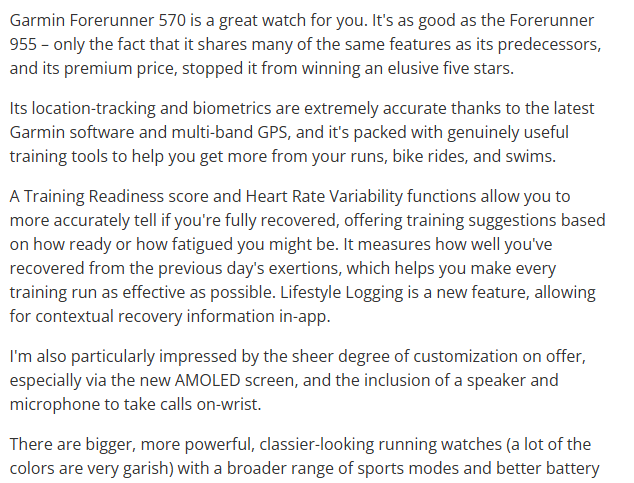
From Garmin GPS running watch training brochure.

In short, since the absolute values from running power sensors aren’t very reliable (more on that soon), the companies that produce the sensors have generally opted to use relative indexes instead. In Garmin’s case, the running dynamics pod adapts and calibrates itself frequently to set new baselines. This means a power of 250W should always mean ‘typical effort at threshold’ and 300W ‘above threshold’ regardless of your terrain. In other words, this number helps identify trends but not absolute values.
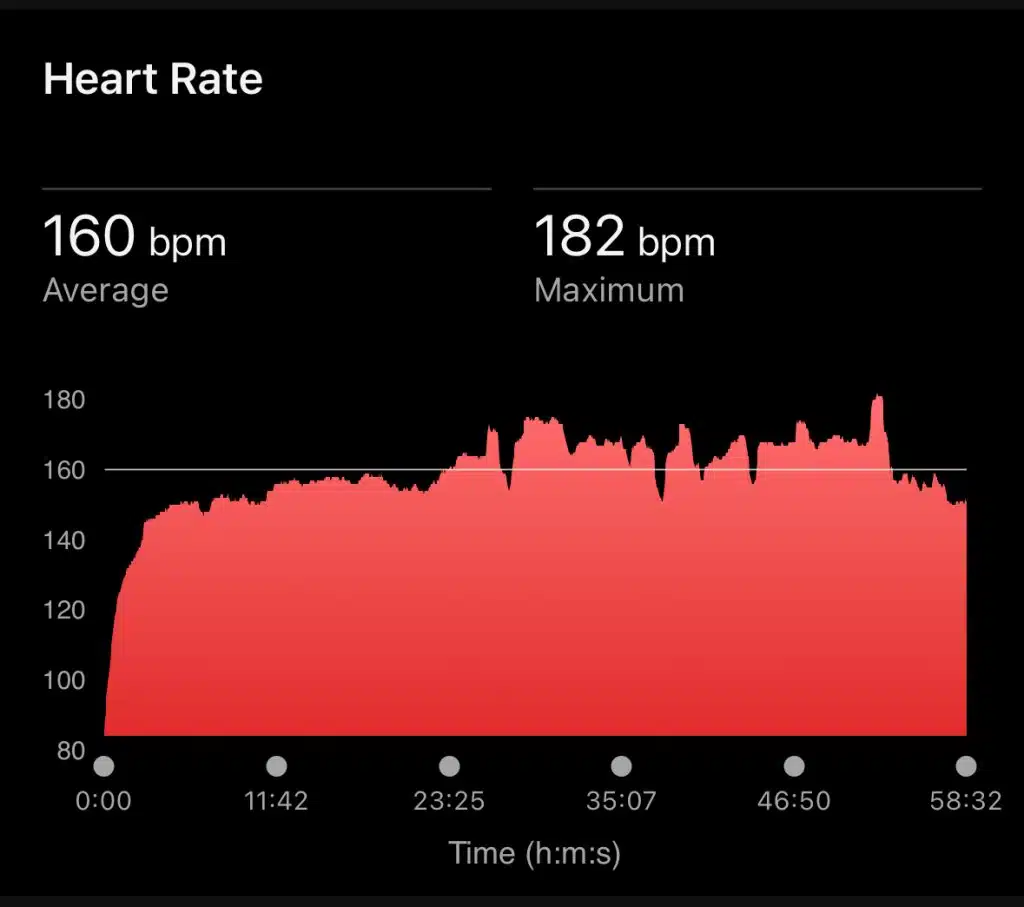
Polar running dynamics data from Polar RC3 GPS user manual.

Above is an explanation from Polar that recommends that GPS watch manufacturers don’t use the raw output from their running dynamics sensors but rather use the running power algorithm. This algorithm functions the same as Garmin’s and sets 100W as the baseline ‘easy running’ power over a set period (which manufacturers can adjust). Therefore, any number below the baseline indicates an easier effort, and any number above represents a harder effort.

So, why do these manufacturers recommend this approach? It’s because consumer-grade running dynamics sensors aren’t very accurate unless you know the exact biomechanical profile of the runner. This is because running power sensors are more sensitive to certain gait patterns and less sensitive to others.
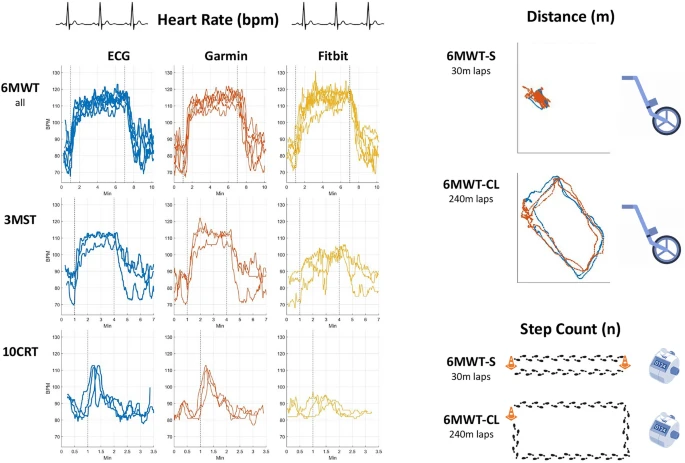
The above image from a running watch accuracy study shows how a running dynamics sensor has different accuracy for different running cadences and paces.

As you can probably guess, since running power sensors have different accuracy at different cadences, and we can never know for sure the exact gait profile of every runner, an absolute running power figure is not particularly useful or accurate. While many older running power sensors (and some current ones) do give absolute watt values, and even the sensors mentioned in this post can be adjusted to show absolute values, they’re not fully accurate and hence the choice by Garmin and Stryd to use relative indexes and calibrated estimates instead.
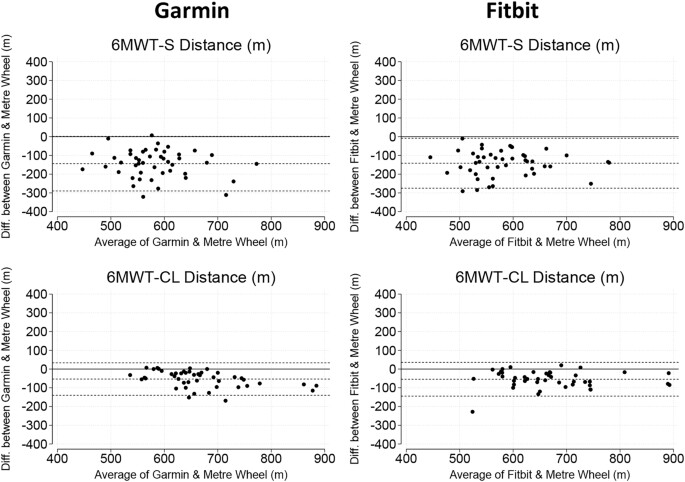
Based on this information, I don’t think anyone should choose a consumer-grade GPS running watch based on running power performance alone. None of them are perfectly accurate, and the running power recorded by the device should be used only to identify trends in training load.
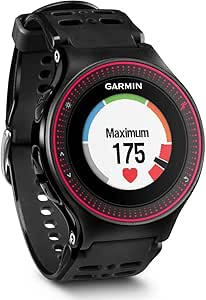
The Garmin Fenix 7 shows only a running power estimate (increasing, decreasing, or stable) for running dynamics. While I didn’t realise it then, this makes a lot of sense with the limitations of running power sensors in GPS running watches.

One final note is that since these sensors regularly readjust their baselines (depending on the period set by the GPS watch manufacturer), overall trends shouldn’t be trusted — only short-term trends over a run or less. Some watches will allow you to adjust the running dynamics calibration period, but it’s not common.

At the end of the day, having a running dynamics sensor in a GPS running watch is useful, but it’s important to know the limitations and caveats of such sensors. If you have any questions, please don’t hesitate to ask below!

Hello Henry, thank you for the above! I stumbled upon this while searching for a solution. Honestly, I’m getting really anxious about my GPS running watch data and I feel completely unable to make sense of it!

I’m hoping you can share a thought or two if it suits you.

Background

Up to end of 2023, I was experiencing challenges with inconsistent GPS tracking during my runs. Some doctor visits but I thought maybe look at GPS accuracy more closely (especially now I am running from home most of the time). This was some 2–3 years ago.

I bought a Garmin Fenix 7 seeing it has quite a nice set of measurements. I saw mainly two things:

  • very inconsistent GPS distance readings (suburban environment, lots of tree cover) especially during interval sessions.

  • pace readings going extreme into very high or very low values.

This was part of our deliberations to do a running tech upgrade. Q1 of 2024 this happened and I had them configure a per-session GPS mode (multi-band for open sky, GPS+GLONASS for mixed terrain) with per-watch a separate training profile. It has some filtering in it and can get quite accurate if pushed. I also installed a Stryd footpod that is supposed to be able to measure running power and cadence.

Recently we have been moving to structured training and I found my Garmin device again. Installed in our running Lawrence and you can probably guess:

  • GPS distance much much better. Two people running the same route it gets to within 1% or so at the end, but that is a matter of tuning the GPS mode I believe.

  • Pace readings still going through the roof! Very hard to stabilise. E.g. this morning climbed to 7 min/km pace during a supposedly 5 min/km interval, but that is a matter of tuning the device I believe.

I’m very concerned especially as I read that it’s very hard to determine the origin or actual GPS error (is it even the chipset or the algorithm?).

I was thinking maybe my Garmin is misconfigured, so I could buy another device like the one you have been recommending (Coros Apex 2) but I fear that will not really tell me a lot as it seems to only use running averages of the current situation.

Let alone it showing me the source or direction I have to look.

I’m talking about the GPS chipset, not the HR sensor or even the cadence sensor. Just a running enthusiast working at improving my training data quality.

Any thoughts would be so welcome!

KR Owen

Find the Garmin Fenix 7 here

Hi @Nikola,

Firstly, thanks for joining the forum! I hope I can help with your question. I can understand your worries, and it’s certainly possible that GPS accuracy is impacting your training data quality.

Firstly, yes, this needs to be kept in mind. As you’ve already read my first post in this thread, it becomes quickly apparent that consumer-grade GPS chipsets are very limited as it’s impossible to tell exactly what environmental factors are causing the final reading error, and therefore, if it’s actually something to worry about or not. With that in mind, I personally would still be concerned about pace readings that inconsistent as they could point towards a bigger GPS configuration issue.

I forget exactly how the Garmin Fenix 7 works in multi-band mode, as it’s been a long time since I configured mine (it’s in a different country right now!), but I believe there is a calibration period when it’s first set up in a new GPS mode, and I wonder if that could have influenced the final readings. That said, if the pace errors were present during calibration, and they’re continuing even now, it still seems to point to a configuration issue.

Readings like this are still very inconsistent and far more erratic than I’ve ever seen with my device. While I don’t fully trust consumer-grade GPS chipsets (for the reasons stated above), I, too, would be concerned about such inconsistent pace readings. Out of curiosity, what happens if you run in a completely open area with no tree cover or buildings nearby? Do the readings stabilise significantly as we would expect? With consistent errors this large, I would be suspicious of a misconfigured GPS mode or an incorrect multi-band setting. Another idea is to try different GPS modes on the same route and see how the device reacts.

Unfortunately, this is correct. There are some devices out there that could be helpful, but I think it would first be worth looking into whether or not the Garmin is configured correctly (which I’m hoping the above tests might help conclude!).

If you have a chance to test the device in open terrain and in a few different GPS modes, please let me know how you get on!

Out of curiosity, what happens if you run in a completely open area with no tree cover or buildings nearby? Do the readings stabilise significantly as we would expect? With consistent errors this large, I would be suspicious of a misconfigured GPS mode or an incorrect multi-band setting. Another idea is to try different GPS modes on the same route and see how the device reacts.

Hello Henry, so I ran the tests as you suggested. Interesting outcomes.

  • Open park run for some 4 hours of testing:

GPS pace — stabilised to ±0.1 min/km

  • Suburban route with moderate tree cover for 1.5 days:

GPS pace — during easy runs: ±0.2 min/km,

interval sessions (higher cadence): ±0.5 min/km (orange section Garmin pace alert threshold)

night recovery run — drops again to ±0.15 min/km

  • Trail route with heavy tree cover 1st test:

interval session — ±1.2 min/km

easy run — ±0.1–0.3 min/km

  • Back to suburban route in multi-band mode (3 days):

easy runs — ±0.1–0.15 min/km

interval sessions — range from ±0.3–0.8 min/km at peak, climbs up when cadence increases and then stabilises after the interval when cadence drops.

The ±0.8 was at an interval session where I deliberately used GPS+GLONASS mode instead of full multi-band. With multi-band running for the first 4 intervals at slightly higher than normal cadence we reached ±0.3–0.4 min/km at peak.

Conclusion to me:

Device seems to function properly.

It appears it needed a reconfiguration as you said.

I got nowhere near the extreme readings as before (though I guess the ±0.8 is still quite high for pace tracking).

But… this clearly is when cadence is highest during interval sessions (both trail and suburban routes saw this pattern).

Tbh — this kind of puts me at ease. It is clearly associated with high cadence running. I note too that the GPS accuracy drops quite a lot during intervals. The multi-band mode usually counters that but only to around ±0.4 min/km at peaks.

Hi @Nikola,

Thank you for the update! These readings sound much more reasonable, and I believe the device is configured correctly, even if the values during intervals still seem a bit high. For the open park test, how exposed was the running area and do you live near a busy road or other potential GPS multipath source? I’m just wondering as the ±0.1 min/km seems a bit high from my experience still, and I’m wondering if running in a completely flat, open area for a bit longer could allow for a more complete GPS calibration (as it seems to have some kind of auto-calibration running).

This is very true! While minimal, high cadence running does cause more GPS signal interruption and over an interval session in an area with some tree cover, the errors can build up. I have no idea if they could build up to the extremes you saw initially, but the device is definitely picking up the trend properly as the error is expected to increase during intense efforts with high cadence.

This is something I will have to test myself!

Another, more digestible document on how GPS accuracy data is interpreted in running watches:

https://peer.asee.org/heart-rate-monitor.pdf

Hi Henry, this is my first post here and I want to say how much I appreciate your site and forum, they are great, congrats for this amazing job.

Secondly, I did not want to create another topic for this, but I am in a similar situation as Nikola. I finished setting up my GPS running watch kit 3 months ago and I still cannot get consistent data from it. All my running routes were tested during the summer and I “burned in” my watch for 3 days (left the GPS running continuously at 1-second recording intervals for 8 hours).

I read this site inside out but I still have a question: what GPS running watch should I buy to test the relative pace variations? I want to put it on an open field route for 1 day, then on various terrain types to see what might be the source of error. I want to test it on each terrain, then in my most challenging routes, because they give the most inconsistent readings. To find out which environment causes these problems.

Should I buy a Coros Apex 2? Or a Garmin Fenix 7? In my country I found a portable option, the Amazfit T-Rex 3, not sure if it’s worth it.

Thank you

Hi @Kevin,

Firstly, thank you so much for your kind words! I appreciate it and am glad you’ve found this website helpful.

Honestly, I feel the Garmin Fenix 7 is the best choice in this situation. I want to be completely transparent and state that I work with Garmin, but I do feel like it’s the best watch in this setting. This is primarily because the Garmin Fenix 7 allows you to change the GPS mode very easily. Being able to adjust this GPS mode means you won’t need to recalibrate the watch every day (although you can still do this if you want to set the GPS precision to a shorter learning period), as you can set it to use multi-band GPS for up to 40+ hours of battery life.

I am a massive fan of Coros watches, and they are the watches that I recommend the most for lightweight running. However, unless there has been a recent update, the GPS mode calibration cannot be easily changed on the Coros Apex 2, and you will need to account for the device’s default GPS mode limitations.

The Amazfit T-Rex 3 could be another alternative, but it’s hard to tell without knowing more details about its GPS chipset implementation. I don’t think it’s mentioned in the manual either, so perhaps it could be worth reaching out to them about the matter?

Please let me know if you have any further questions. I am more than happy to help if I can.

Thank you for the nice answer, Daniel.

Your attached picture is great, I finally understood how it works. Unfortunately a longer GPS calibration period for me doesn’t work, because in my training area there is a lot of tree cover during morning runs.

Lemme see if I understand correctly: if I buy a Coros Apex 2, I have to put it in open sky for 24h (I think this is the limit), to set the GPS baseline and then run on the shaded route? And I have to do this every 24h to reset the GPS calibration?

Thanks a lot again :slight_smile:

In that case, I think both watches will perform the same, more or less.

Yes, you would want to run it somewhere to set a ‘GPS baseline’. This doesn’t necessarily need to be entirely free of tree cover, but it could be a route that you want to use as a reference to compare other routes. To fully reset the GPS baseline, you would want to leave it running for 12 or 24 hours (I can’t remember exactly which) and then take it to a new route. That said, you don’t necessarily need to wait the full 12–24 hours to get a point of comparison, as you will quickly see what ‘good’ GPS accuracy looks like even with the relative scale.

It’s also worth noting that you can use ‘absolute’ metres per kilometre accuracy on the Coros. While this is a very flawed measurement (for the reasons discussed above), it is probably easier for you to use in your comparisons as it won’t constantly adjust.